Web Dev UAT & QA
Jump between admin, user, and guest roles on staging without logging out. Ideal for regression testing, bug reproduction, and sign-off across personas.
Account Switcher keeps multiple website sessions on your device — securely, locally, and instantly. Built for web dev UAT testing, multi-account workflows, and bypassing AI rate & token limits on ChatGPT, Claude, and DeepSeek.
Real scenarios where one-click session switching saves hours — from staging tests to AI workflows and multi-client work.
Jump between admin, user, and guest roles on staging without logging out. Ideal for regression testing, bug reproduction, and sign-off across personas.
Hit the daily cap on ChatGPT, Claude, or DeepSeek? Rotate between saved accounts instantly — each session keeps its own auth state and usage quota.
Manage personal and work accounts on the same platform — Stripe, Notion, Figma, or internal dashboards — without the logout-login loop.
Switch to a client's sandbox or demo account before a call. Support teams can reproduce issues in the exact account context without asking for credentials again.
Juggle multiple client environments from one browser. Save each client's logged-in session and switch in one click — no separate browser profiles needed.
Handle several brand or client accounts on social platforms and ad managers. Stay signed in to all of them and swap contexts without clearing cookies.
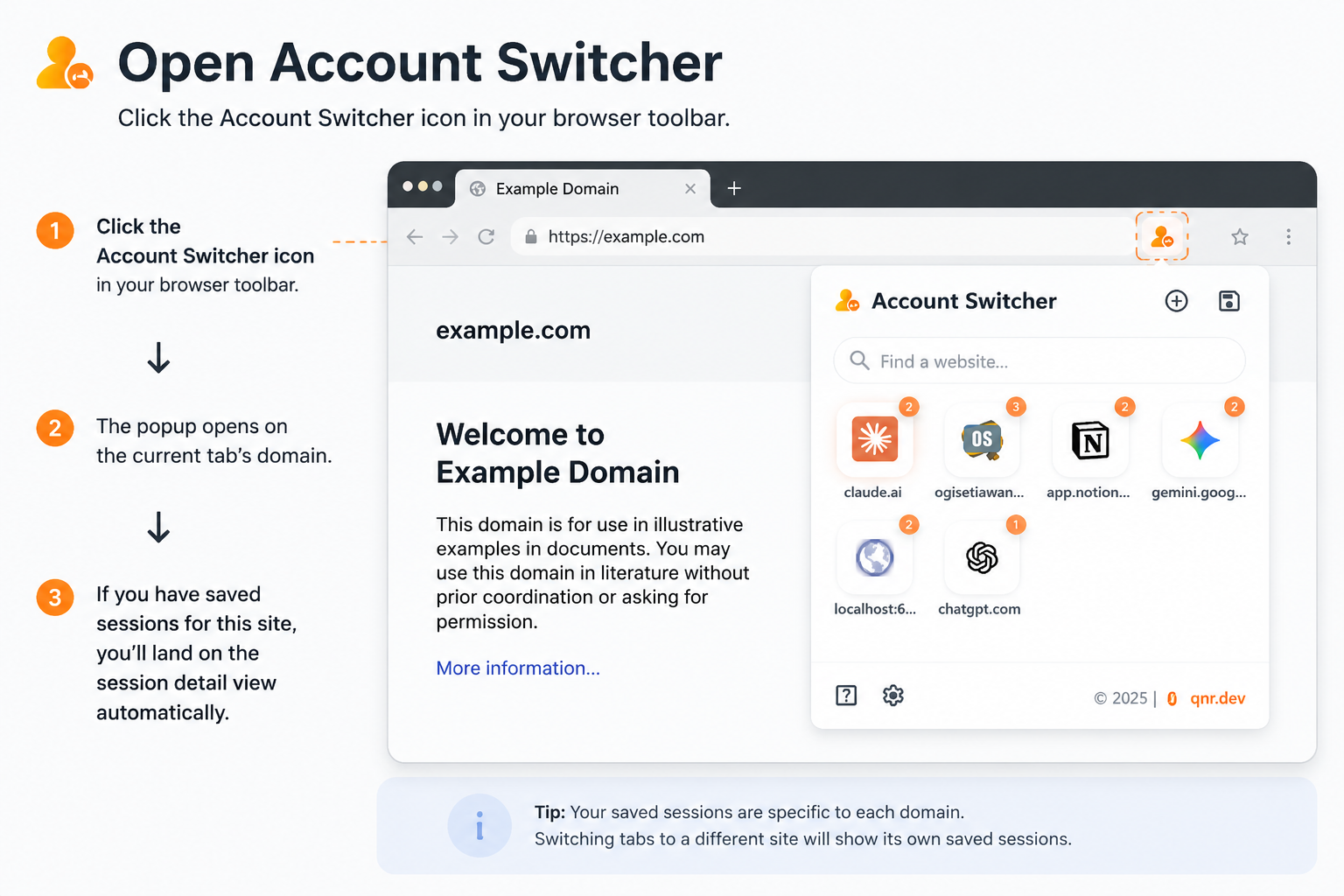
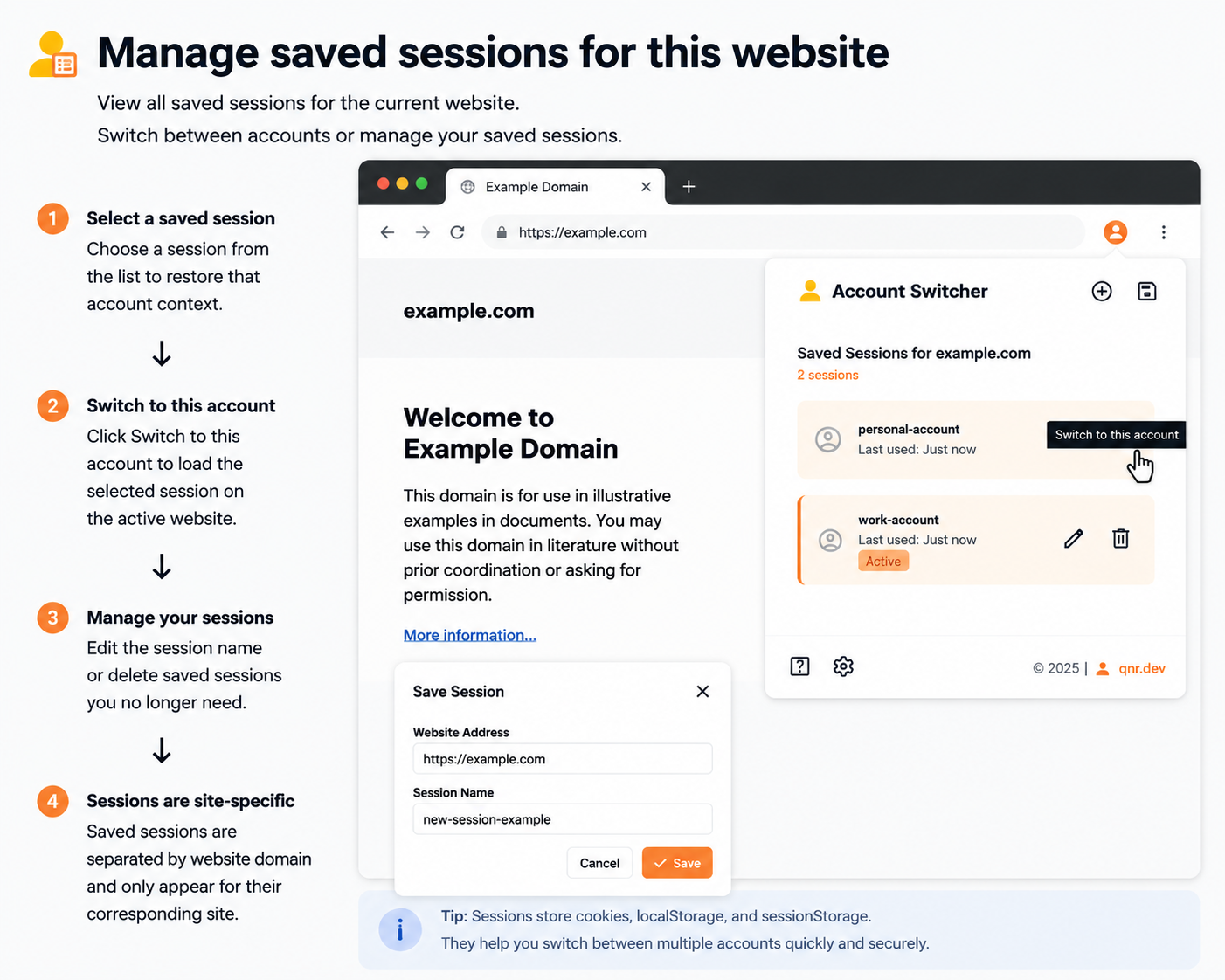
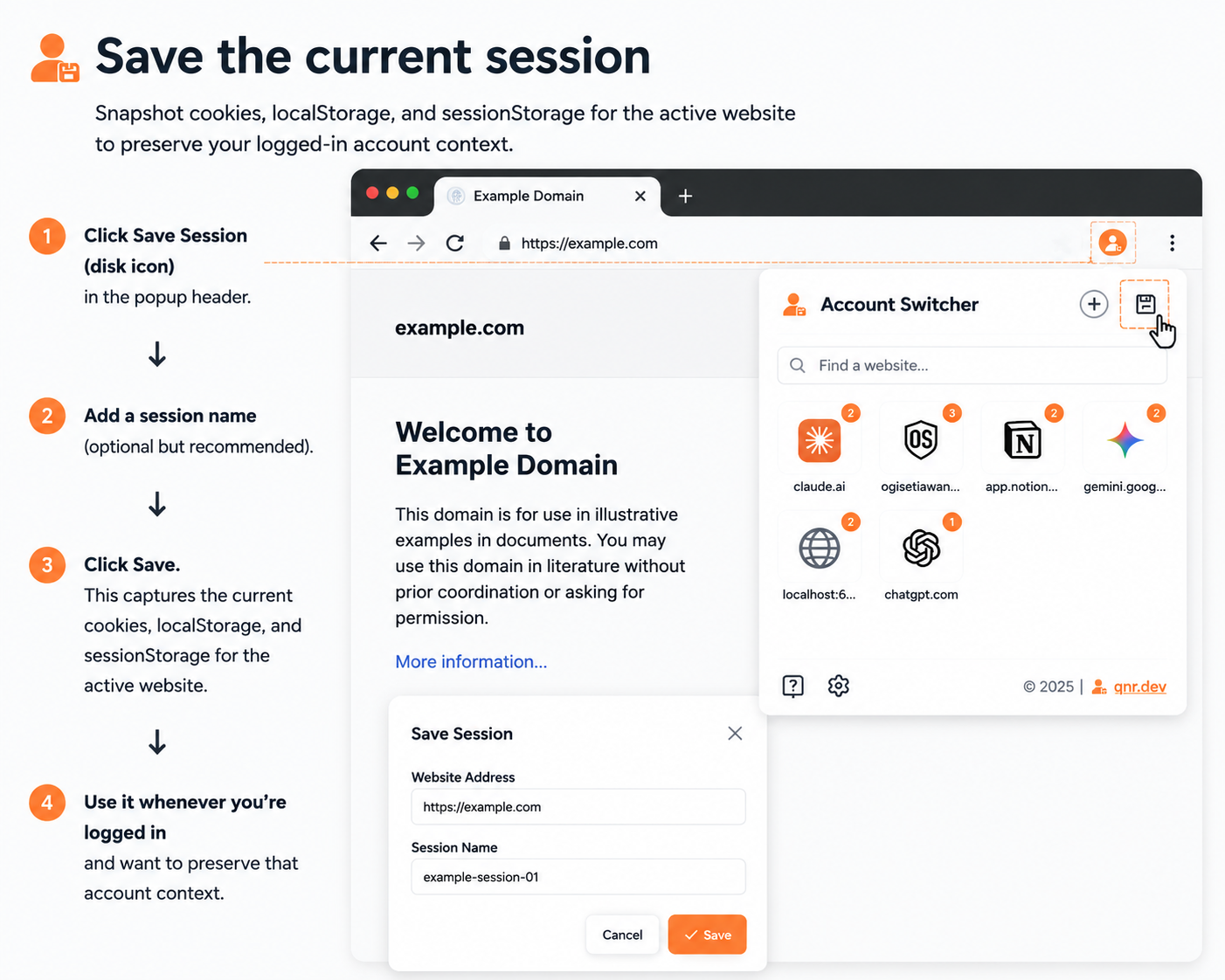
Save any authenticated session locally, add multiple accounts per website, and switch between them instantly — no logout required.
Loading guide…
Quick answers about privacy, how sessions work, and what Account Switcher can do.
No. All session data stays on your device via chrome.storage.local.
Account Switcher does not send cookies, storage, or browsing data to any remote server.
Open the extension, click Add Session to clear the current login, sign in with the other account in the browser, then click Save and name the new session.
No. Sessions are scoped per website domain. Switching only replaces cookies and storage for the site you selected — other tabs and domains are left alone.
Yes. Save each AI account as a separate session, then switch when you hit rate or token limits. Each session keeps its own authentication state.
Chrome is available on the Chrome Web Store. Firefox support is built into the codebase; the Firefox Add-ons listing is coming soon.
Open source, auditable, and privacy-first. Account Switcher runs entirely in your browser — no backend, no telemetry, no account required. Inspect the code, fork it, or load it unpacked in seconds.
Every session is a local snapshot of cookies and web storage. The extension uses Manifest V3 with
strict TypeScript, works on Chrome and Firefox from one codebase, and keeps your data in
chrome.storage.local — never on a remote server.
// What gets saved per session
{
  "name": "Admin UAT",
  "domain": "app.example.com",
  "cookies": [...],
  "localStorage": {...},
  "sessionStorage": {...}
}

// Stored locally — never leaves your device
chrome.storage.localRelease history and the features currently available in the extension. Current build: v2.2.0.
Loading release notes…
Available on the Chrome Web Store. Firefox Add-ons listing coming soon.

Available on the Chrome Web Store. Click below to install directly — no build step required.
Add to Chrome
Firefox Add-ons listing is coming soon. In the meantime you can load the extension manually from the GitHub repository.
Coming soon